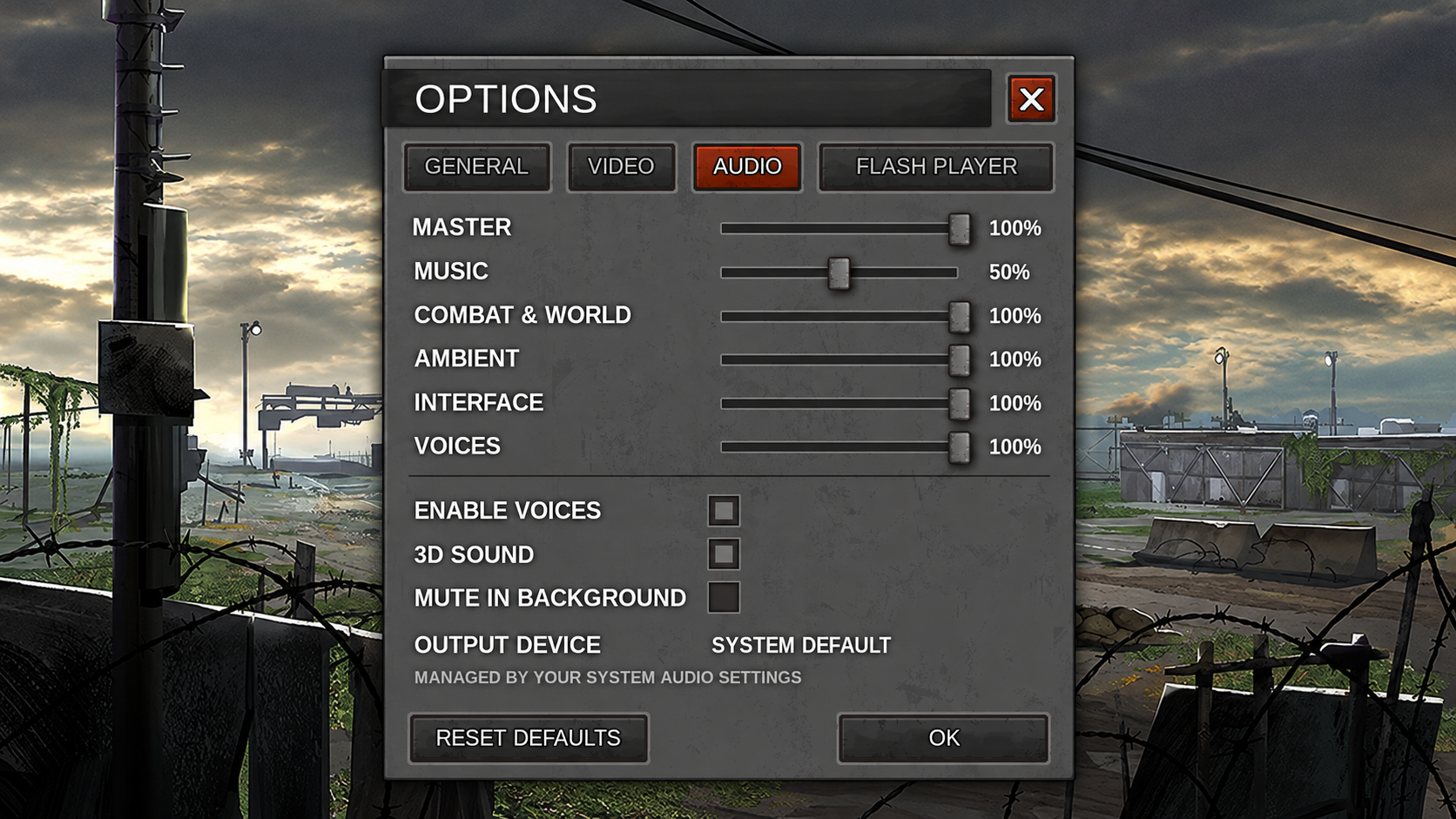
Audio Settings Update - Take Control of Your Sound
Customize your sound with six separate volume controls, automatic background muting, and a refreshed Audio panel. Your existing volume preferences are preserved.
New audio settings are here !
We've updated the Audio panel to give you more control over what you hear in Dead Zone Revive.
Head to Options -> Audio to adjust six separate volumes: Master, Music, Combat & World, Ambient, Interface, and Voices.
Each slider displays a volume percentage, and adjustments take effect immediately.
The new Mute in Background option automatically silences the game when you switch to another window. Your chosen volume returns when you switch back.
You can still enable or disable Voices and 3D Sound. A new Reset Defaults button lets you restore the standard audio settings at any time.
We've refreshed the layout while keeping the original metal style, with aligned controls and clearer sections.
Your existing volume preferences are preserved, and the volume and mute shortcuts at the bottom of the screen remain available.
The game uses your system's default audio output. To switch between headphones and speakers, use your system audio settings.
BEFORE :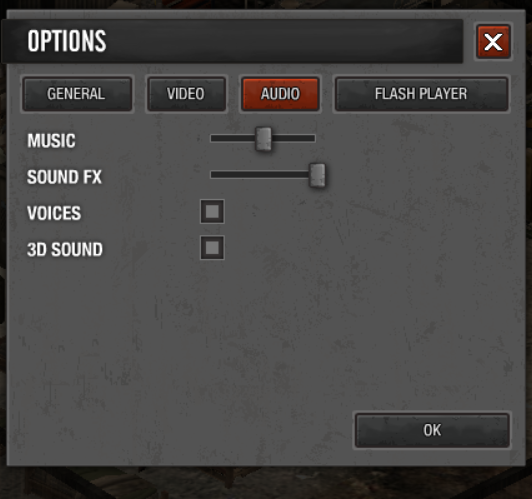 N1S.png 167.51 KBAFTER :
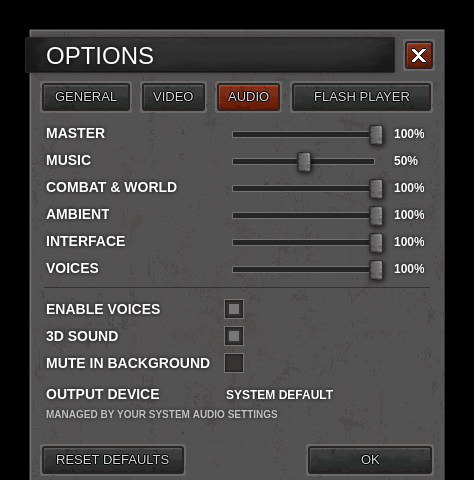 N2S.png 107.62 KB
Thank you for your feedback and suggestions !
See you in the Dead Zone!
Sulivan